
US Market Guide · July 2026
AI Virtual Try-On in the USA: How American Shoppers Try On Clothes Online in 2026
Almost one in five clothing items ordered online in America comes back. AI virtual try-on, the ability to see a garment on your own body from a single photo before you buy, is the first technology that attacks that number at its cause instead of its symptoms. This guide explains how it works, why the United States has become its biggest market, what it measurably does to a store's conversion and return rates, and how any US store can add it, whether it runs on Shopify, WooCommerce, or a fully custom codebase.
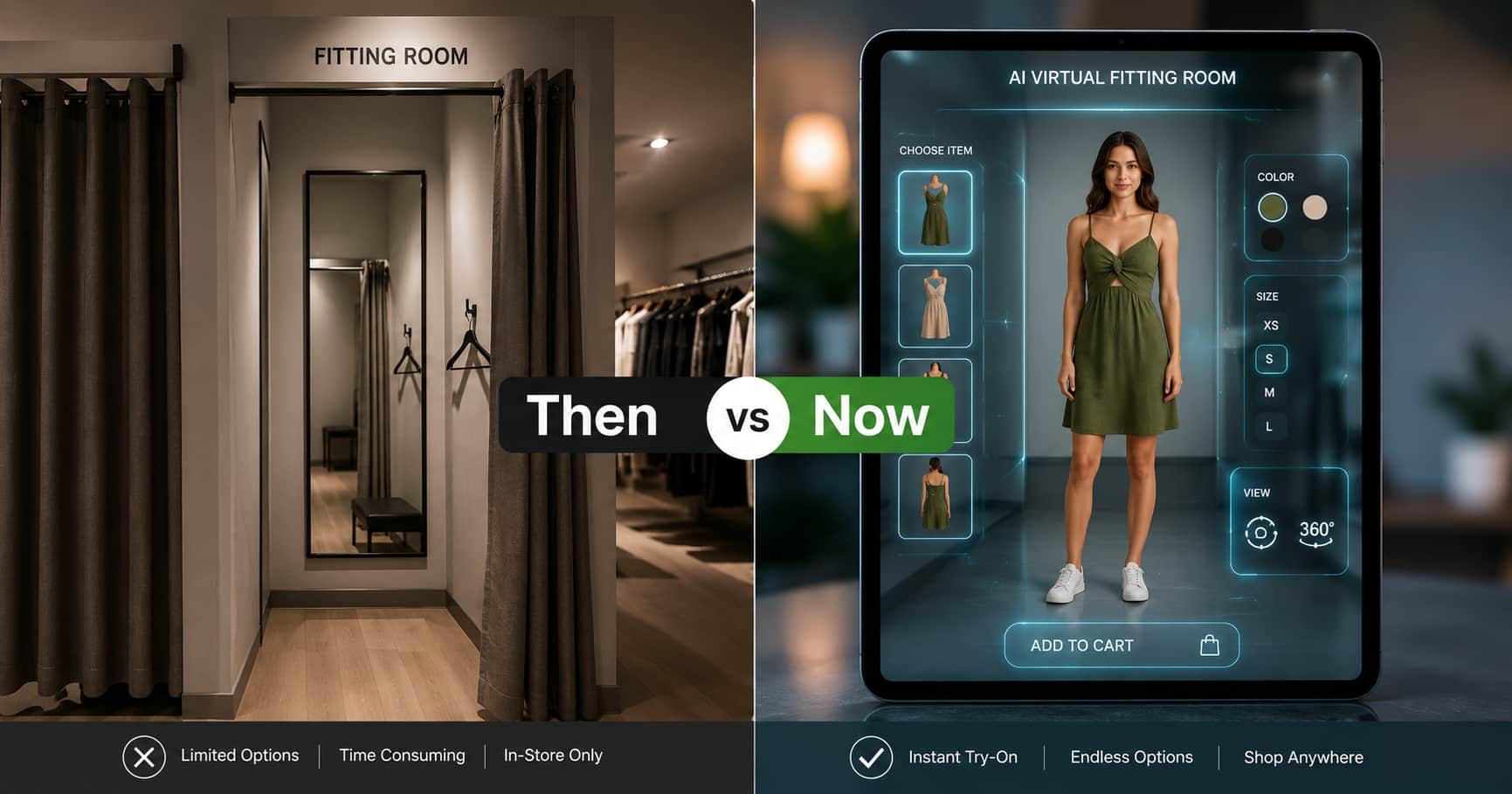
The Three-Sizes Problem Every American Shopper Knows
Here is a scene that plays out millions of times a week across the United States. A shopper in Austin finds a dress she loves from a US brand. She has been burned before, the last one photographed beautifully and hung on her like a tent, so she does what experienced American online shoppers do: she orders it in Small, Medium, and Large. Free shipping, free returns, why not. A week later two of the three go back in the same box they arrived in. The retailer pays return shipping, inspection, repackaging, and often cannot resell the returned items at full price. The shopper spent a week and a trip to the drop-off point to buy one dress.
Retail analysts call this bracketing, and it has become normal behavior in the US market: surveys consistently find that around six in ten American shoppers have deliberately ordered multiple sizes or colors with the plan of returning some. Nobody in that story is behaving badly. The shopper cannot see the dress on her own body, so she compensates the only way the system allows. The fix is not another size chart. The fix is letting her see it on herself before the order exists.
What AI Virtual Try-On Actually Is
AI virtual try-on lets a shopper see a specific garment rendered on their own body, starting from nothing more than a photo. The mechanics, stripped of jargon, are simple. The shopper uploads one clear full body photo, or takes one with their phone camera on the spot. The AI reads two images, the shopper's photo and the product's image, and generates a new photorealistic image of that person wearing that garment: the real fabric, the real print placement, the real neckline and length, draped over their actual build and pose.
This is a different species from the augmented reality filters of a few years ago, which floated a stiff 3D model over a live camera feed and mostly worked for sunglasses. Photo-based AI try-on handles the hard category, clothing, because it does not paste a flat sticker onto a body. It re-renders the garment as it would physically sit on that person. The result reads as a photograph, not an effect.
In one line
AI virtual try-on turns the question "will this look good on me?" from a guess into a picture, before any money moves or any box ships.
For a deeper walkthrough of the underlying experience, our virtual fitting room guide covers the shopper journey end to end.
Why the USA Is the Biggest Market for Virtual Try-On
Every ecommerce market has returns. The American market has a returns economy. Three forces make the US the place where virtual try-on matters most, and pays back fastest.
- The sheer scale of returns. The National Retail Federation and Happy Returns estimated that US retailers handled roughly $890 billion in merchandise returns in 2024, around 16.9% of total retail sales, with online purchases returned at substantially higher rates than in-store ones. Apparel sits at the top of every returns league table, because fit and look cannot be judged from a model's photo.
- The free-returns culture. Decades of free shipping and free returns trained American shoppers to treat the bedroom as the fitting room. That was survivable when shipping was cheap. With carrier costs and processing labor where they are now, many US brands quietly report that a bracketed order can erase the entire margin on the item that was kept.
- Mobile-first fashion discovery. American shoppers increasingly discover clothing on their phones, through social feeds and search, where the distance between seeing an item and buying it is one thumb. A try-on that runs in the mobile browser, with no app install, meets the US shopper exactly where the purchase decision happens.
Put simply: the country with the world's most expensive returns problem has the most to gain from the technology that prevents returns before checkout. That is why US clothing stores, from single-founder boutiques to multi-brand retailers, have been the fastest adopters on our platform this year. We wrote a dedicated breakdown of the returns math in how virtual try-on reduces clothing returns.
Trying On Clothes Online With Your Photo: The Actual Flow
If you have never used photo-based try-on, here is exactly what happens on a live US store running TryOnCloud. The whole thing takes under thirty seconds the first time and under ten after that.
- Tap the button. On the product page, next to the size selector, sits a Try On Virtually button. It opens a clean panel on the same page, no redirect, no app store detour.
- Add your photo. Upload a clear full body photo from your camera roll or take one on the spot. The panel spells out what works best: standing straight, decent light, the whole body in frame. No account is required to try.
- Watch the render. The AI generates the image of you in that exact garment. On our infrastructure this returns in seconds, fast enough that it feels like part of browsing rather than a task.
- Compare and decide.Try the same photo against three different dresses, or the same dress in your usual pose. Shoppers keep a small history of their looks, so comparing is one tap. Then add to cart, with an actual picture of the answer to "does this suit me?"
Two details behind that flow matter more than they sound. Every generated result passes an automatic quality screen before the shopper sees it, so an occasional AI rendering artifact gets caught and regenerated instead of shown. And the photo the shopper uploads is used to generate their try-on, not to build advertising profiles or train systems: on US stores that distinction is not a nicety, it is the difference between a feature people use once and a feature they use every visit.
Google and Amazon Try-On vs. Try-On on Your Own Store
If you searched for virtual try-on recently, you probably met the big-tech versions first. Google's shopping try-on shows apparel on a range of diverse models inside Google Shopping results. Amazon has experimented with try-on for shoes and eyewear inside its own app. Both are genuinely useful, and both share a limitation that matters enormously if you sell clothes in the United States: they work inside Google's and Amazon's properties, on their catalogs, on their terms.
| Question | Big-tech try-on | Try-on on your own store |
|---|---|---|
| Whose body does the shopper see? | Usually a model similar to them | Their own body, from their own photo |
| Where does the sale happen? | Inside Google or Amazon | On your product page, your checkout |
| Who gets the customer data? | The platform | You, including captured shopper emails |
| Does your whole catalog work? | Only what the platform supports | Every product you sell, synced automatically |
The takeaway is not that big-tech try-on is bad. It is that it does nothing for the traffic already on your site, which is exactly the traffic you paid to acquire. A shopper on your product page deciding between Medium and Large is your conversion to win or lose, and that is the moment a try-on button on your own store earns its keep.
What Virtual Try-On Does to a US Store's Numbers
Here is data you will not find in a generic industry report, because it comes from live stores running TryOnCloud through the first half of 2026, anonymized and aggregated across our US and international merchants.
- Shoppers who try on convert at a multiple of those who do not. Across our merchant base, a shopper who completes at least one try-on on a product page adds to cart at roughly two to three times the rate of a shopper on the same page who does not, with fashion-forward categories like dresses and occasion wear at the high end of that range.
- Try-on is sticky. Shoppers rarely stop at one. The median try-on session on our platform covers multiple garments against the same photo, which is bracketing behavior moved from the mailbox into the browser, where it costs the retailer nothing.
- It quietly builds your email list. Stores with lead capture enabled collect shopper emails at the try-on moment, when interest is at its peak, and can sync them into customer segments for campaigns. For several of our merchants this has become their single best-performing signup source, beating the discount popup they had used for years.
- Returns drop where fit-uncertainty was the cause.Try-on does not fix a torn seam or a late delivery, but the "looked different than I expected" return reason, consistently among the top reasons US apparel comes back, is precisely the one a pre-purchase look at yourself removes.
One more number US store owners ask about: speed and reliability. TryOnCloud runs on auto-scaling, multi-zone cloud infrastructure with a 99.9% uptime target. There is no single server that can take the feature down on Black Friday, generations return in seconds, and burst traffic queues rather than fails. High-volume stores and agencies get elevated rate limits sized to their real traffic.
Adding Try-On to Any US Store, Whatever It Runs On
This is where TryOnCloud is deliberately different from single-platform tools: one try-on engine, every channel an American clothing business actually sells through.
| Where you sell | How you add it | Setup effort |
|---|---|---|
| Shopify | Install the TryOnCloud app from the Shopify App Store and drop the button block onto your product template in the theme editor. The catalog syncs itself. | Minutes, no code |
| WordPress / WooCommerce | Install the plugin, paste your API key, and the try-on button appears on WooCommerce product pages. | Minutes, no code |
| Custom-coded site | React, Next.js, Vue, Angular, PHP, Laravel, or plain JavaScript: call the developer API from your product page and render the result. The API docs cover the two-endpoint flow. | An afternoon for a developer |
| Agency with many client stores | One agency account, per-client management, volume pricing, and rate limits sized to combined traffic. Custom event packs for fairs, pop-ups and campaigns. | Same API, one contract |
| Physical store or mall space | A self-service virtual try-on kiosk runs on any screen with a camera, syncs your catalog, and can even scan a garment held up to the camera, no catalog entry needed. | Any tablet or kiosk screen |
The features travel with you across all of those channels: shopper email capture with customer segments, your own logo on every generated result on Growth and Scale plans, watermark-free images on every paid plan, a try-on history for returning shoppers, and the automatic quality screening described above. Shopify merchants can follow the step-by-step in our Shopify virtual try-on guide; everyone else starts at the free signup.
What It Costs in Dollars
US pricing is flat, monthly, and sized by try-on volume rather than by feature gates. Every plan includes the full engine, catalog sync, email capture and mobile support, and starts with a free trial so you can see it on your own products before paying anything.
- Starter, $19/month: 100 try-ons a month, ideal for a boutique validating the feature.
- Growth, $49/month: 300 try-ons, your logo on every result, priority support. The most popular US plan.
- Scale, $145/month: 1,000 try-ons, phone and email support.
- Enterprise: custom volume for large retailers, marketplaces and agencies, with SLA guarantees and dedicated infrastructure. Event packs are available for fixed-date needs like fairs and campaigns.
Full details are on the pricing page. The comparison every US merchant eventually does in their head: one prevented bracketed return typically covers a month of Starter on its own, before counting a single extra conversion.
Frequently Asked Questions
How accurate is AI virtual try-on for clothes?
Modern AI try-on renders the actual garment, its fabric, print, drape and length, onto the shopper's own photo, so the result shows how that specific item looks on that specific body. It is a realistic visual preview rather than a tailoring measurement: it answers 'does this suit me and roughly how does it fall on my frame', which is the question that drives most American fit returns. On TryOnCloud, every result also passes an automatic quality screen before the shopper sees it, and flagged images are regenerated.
Is my photo safe when I use virtual try-on on a US store?
On TryOnCloud stores, photos are used only to generate the try-on result. Processing happens over encrypted connections on secured cloud infrastructure, images are not sold or used to train anything, and shoppers can use the feature without creating an account. Stores using the feature link their own privacy policy right below the upload button.
Does AI try-on work on a phone?
Yes, and in the US that is where most of it happens. The try-on runs in the mobile browser on the product page itself, no app download. A shopper taps the try-on button, uploads a photo or takes one with the camera, and sees the result on the same screen in seconds.
What does virtual try-on cost a US store?
TryOnCloud plans for US stores start at $19 per month for 100 try-ons, $49 for 300, and $145 for 1,000, each with overage pricing after the limit and a free trial before any charge. There is no hardware to buy and no setup fee for the online widget; the in-store kiosk is a separate product for physical retail.
Which platforms can add TryOnCloud in the USA?
Shopify stores install it from the Shopify App Store in a few clicks. WordPress and WooCommerce stores use the plugin. Custom-coded sites, whether React, Next.js, Vue, Angular, PHP, or plain JavaScript, integrate through the developer API. Agencies can run try-on across multiple client stores on one account, and physical stores can add a self-service try-on kiosk.
Is virtual try-on reliable enough for a high-traffic US store?
TryOnCloud runs on auto-scaling, multi-zone cloud infrastructure with a 99.9% uptime target, so there is no single server that can take the feature down during a traffic spike. Generations return in seconds, requests queue rather than drop under burst load, and high-volume stores and agencies get elevated rate limits sized to their traffic.
See It on Your Own Products
The fastest way to judge AI virtual try-on is to run it on your own catalog. Shopify stores install in minutes; everyone else starts with a free API account.