
Buyer's Guide · 2026
Best Virtual Try-On Kiosk for Clothing Stores in 2026
"Best" is a slippery word, because the best virtual try-on kiosk for your store is the one that actually gets used all day rather than the one with the longest feature list. After watching what works on real retail floors, the pattern is clear: a small number of things separate a kiosk shoppers love from an expensive screen that sits idle. This guide lays out those criteria, gives you a checklist to judge any option against, and explains where TryOnCloud leads.
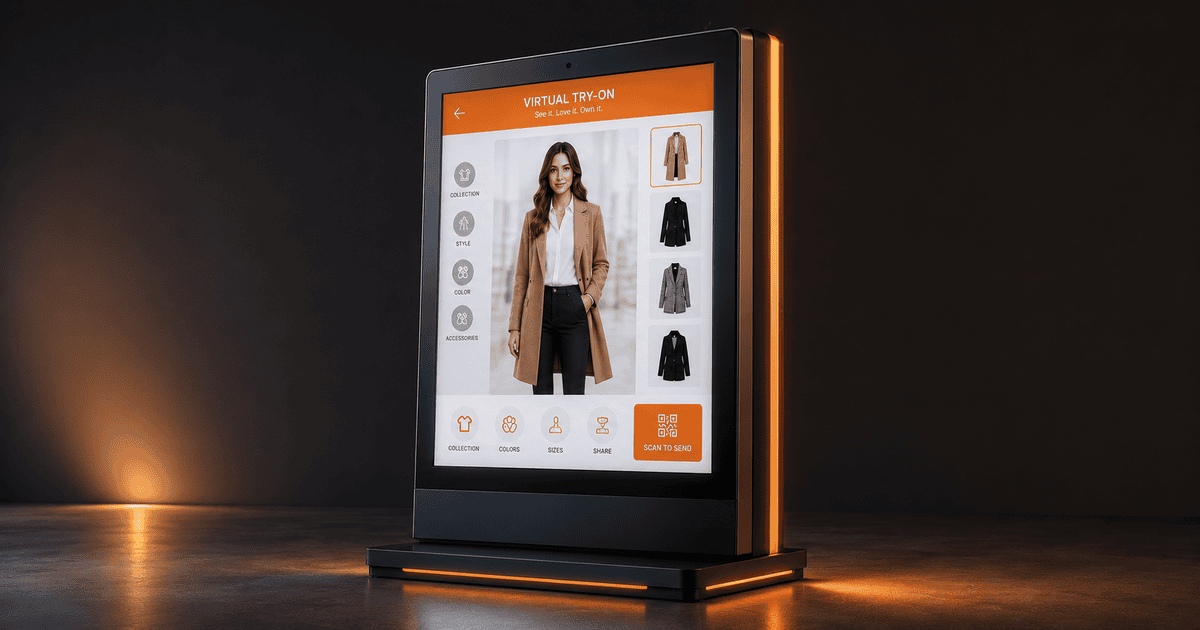
The 6 Criteria That Matter
Ignore the brochure features and judge every kiosk against these six. Get them right and the kiosk earns its place; miss one and it tends to gather dust.
- 1
Realistic results
The image has to look like the shopper, not a mannequin in their colour. If the result is not believable, none of the other benefits follow, because the shopper will not trust it enough to act on it.
- 2
Speed — seconds, not minutes
An in-store shopper will not wait. The best kiosk returns a try-on in seconds, with a progress animation that keeps them engaged. Slow rendering is the single most common reason a kiosk gets ignored.
- 3
No app required
Demanding a download is a wall most shoppers will not climb for one item. The best kiosks run in the browser and let shoppers save results to their phone with a QR scan — no install, ever.
- 4
Automatic catalog sync
A kiosk that needs products added by hand goes stale fast. The best ones pull your live catalog from Shopify or WooCommerce automatically, so the kiosk always shows what is on the rails.
- 5
Privacy by default
Shoppers use a kiosk they trust. The best kiosks delete the uploaded photo immediately, expire the result, and store nothing on the machine — and make that visibly clear.
- 6
Simple, same-day setup
If deploying a kiosk needs a developer and special hardware, most stores never do it. The best kiosks run on an ordinary touchscreen and pair in minutes.
The Buyer's Checklist
Take this to any demo and tick it off. If a kiosk cannot do these, keep looking.
| Question to ask | What "good" looks like |
|---|---|
| How long does one try-on take? | Seconds, with a live progress animation. |
| Does the shopper need an app? | No — browser-based, QR to save. |
| How do products get onto the kiosk? | Automatic sync from Shopify or WooCommerce. |
| What happens to the shopper's photo? | Deleted immediately; result expires. |
| What hardware do I need? | Any touchscreen with a camera and internet. |
| How long to go live? | Same day — pair and sync, no developer. |
| Does it handle ethnic wear? | Yes — sarees, lehengas, kurtas as well as Western wear. |
| How is it priced? | Per try-on, no separate license, scales across stores. |
Why TryOnCloud Leads
TryOnCloud was built around exactly these criteria, which is why it works on a busy floor rather than just in a demo. The kiosk returns a realistic result in seconds. It needs no app — shoppers browse, try, and save to their phone with a QR scan. Your catalog syncs automatically from Shopify or WooCommerce, so the kiosk always matches the rails, and you can brand it with your colours and logo. It handles the full range of apparel, including Indian ethnic wear, and it pairs to a machine in minutes with no developer and no special hardware. On privacy, the uploaded photo is deleted immediately and the result expires, so shoppers trust it.
Red Flags to Avoid
Requires an app download
Adoption collapses the moment a shopper has to install something for one item.
Slow rendering
A result that takes a minute loses the shopper. Speed is non-negotiable.
Manual product uploads
A kiosk that does not sync your catalog goes stale and frustrates shoppers.
Unrealistic results
If it does not look like the shopper, it will not change their decision.
Heavy hardware or installation
If it needs a developer and special kit, you will never roll it out at scale.
Judge It Against Your Checklist
Book a 30-minute demo and tick off every criterion on your own catalog.
Common Questions
What makes a virtual try-on kiosk the best choice?+
The best kiosk gets four things right: the result looks realistic, it appears in seconds, the shopper needs no app to use or save it, and your catalog syncs automatically so the kiosk always shows what you sell. Everything else is secondary to those four.
Should a try-on kiosk require an app?+
No. Requiring a download kills adoption — most shoppers will not install an app to try one item. The best kiosks run in the browser on the machine and let the shopper save results to their phone with a simple QR scan, no install at any point.
How important is speed?+
Critical. A shopper at a rail will not wait a minute. The best kiosks return a result in seconds and show a progress animation so the wait feels productive. A slow kiosk is a kiosk nobody uses twice.
Does catalog sync really matter?+
Yes. A kiosk that needs products uploaded by hand falls out of date the moment your range changes. The best kiosks pull your live catalog from Shopify or WooCommerce automatically, so the screen always matches the rails.
What does TryOnCloud cost for a kiosk?+
There is no separate license fee for the kiosk software. You pay per try-on on the same plan as the online widget, which keeps the maths simple as you scale across locations. Book a demo for a quote based on your footfall.