
How to Build & Launch an AI Virtual Try-On SaaS in 2026
A complete playbook — web app, Shopify app, WooCommerce plugin, or Android app — without building the AI yourself. Here's the truth nobody spells out: the hard part of a virtual try-on business is not the AI. The AI is the one part you should never build.
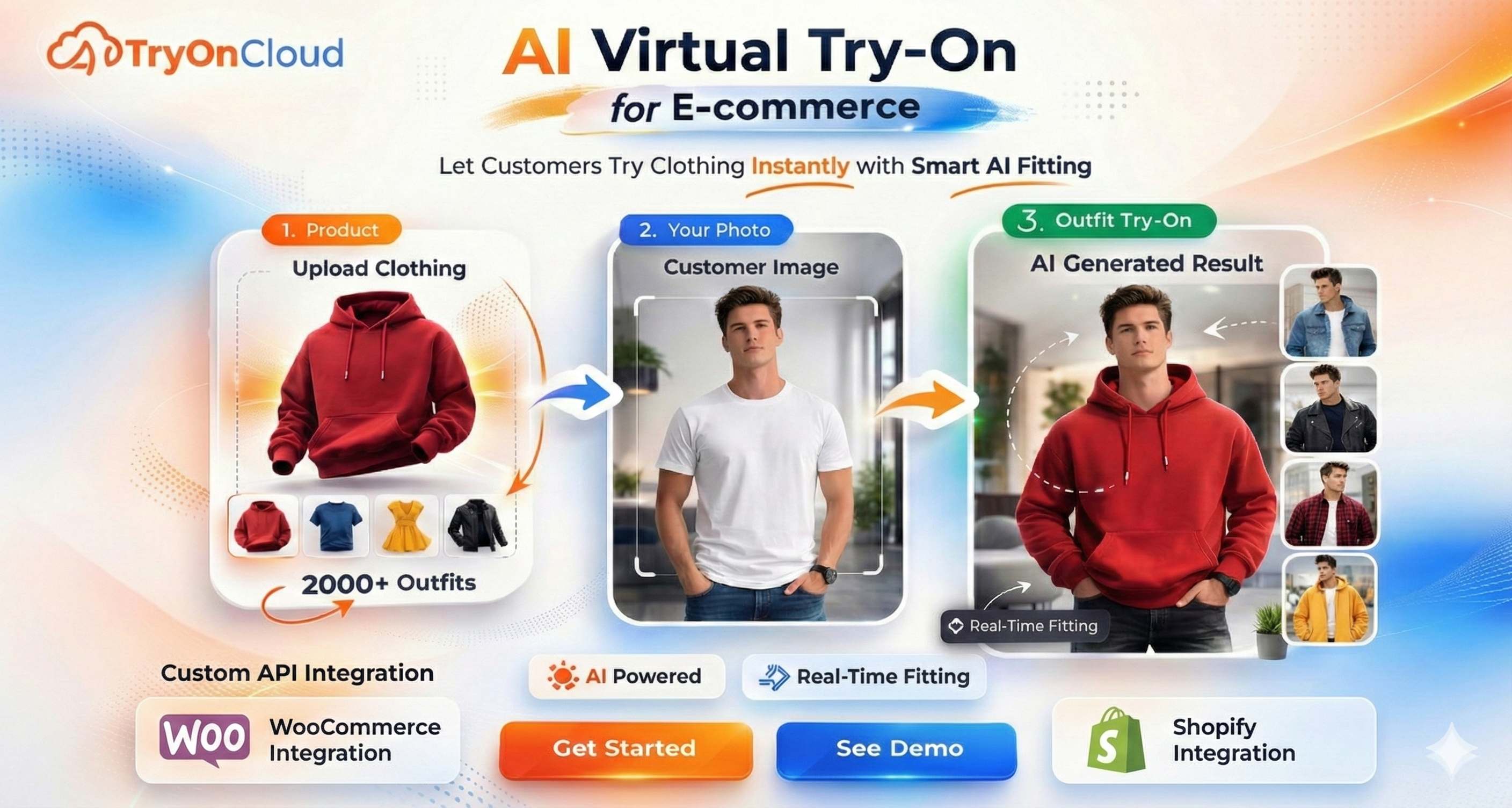
Online fashion's chronic, expensive disease is returns — the highest of any ecommerce category — and almost all of it comes from one unanswered question: 'will this actually look right on me?' Virtual try-on answers it directly, and that demand is exactly what your SaaS will sell into.
Build the AI Yourself vs Use a White-Label API
Before writing a line of code, this is the decision that determines whether you launch this quarter or never. Let's be honest about what 'building the AI' really involves.
| What it takes | Build it yourself | Use TryOnCloud API |
|---|---|---|
| Time to first result | 6–12 months of ML work | About 1 hour |
| Upfront cost | GPU clusters + ML engineers ($50k+) | $0 — free plan to start |
| Training data | Collect & label 10k+ garment images | Already trained, incl. Indian wear |
| Content moderation | Build your own nude/NSFW filter | Built in, automatic |
| Result quality | Unpredictable for months | 2K HD, production-ready today |
| Ongoing ops | Uptime, scaling, model drift = your problem | 99.9% uptime, handled for you |
The math is one-sided. Building the model is a year-long research project with a six-figure budget — and at the end you'd still have to build the actual product. A white-label API turns the hardest part into a single HTTP request, so 100% of your effort goes into what actually makes money: the app, the brand, the merchants.
Why Build on TryOnCloud (the Market Leader)
Not all try-on engines are equal, and the differences directly shape how good your product can be. Every feature below is something you inherit for free the moment you make your first API call.
10 try-ons every month, no credit card, no expiry. Validate quality and ship a prototype before you pay a cent.
From around ₹8 (~$0.10) per generation on platform pricing — the headroom that becomes your margin.
Trained on sarees, lehengas, kurtis and sherwanis AND t-shirts, dresses, jeans and blazers. Rare dual coverage most rivals lack.
Every request passes a content-safety layer before a result returns. Essential when you accept user-uploaded photos.
Auto-captures the shopper's email at the highest-intent moment — right after they see their result — and segments it.
Automatically detects the person and crops full-body or distant photos to the right frame, so results stay sharp.
Every try-on is upscaled to crisp 2K quality — good enough to feature on a premium product page.
No watermark, no 'Powered by' badge — even on the free plan. Your brand only. The API returns clean image URLs.
A few extras that matter in production: results return in about 7 seconds, the API natively accepts HEIC (iPhone), WebP, PNG and JPEG, and uploaded photos are deleted immediately after the result is generated — never used for training.
The 4 Products You Can Launch on One API
The same try-on endpoint powers wildly different products. Pick the one that matches your skills and audience — or launch several over time, all billing against the same account.
Build a Shopify embedded app, add a 'Try On' button to product pages, and list it on the Shopify App Store. With 2M+ merchants and few quality try-on apps, this is the highest-ceiling option. Charge a recurring monthly subscription per merchant.
Hook into WooCommerce product pages via the WordPress REST API and a server-side call. Sell it as a premium plugin with an optional SaaS tier. Lower competition, and buyers who already expect to pay for plugins.
A standalone 'try on clothes' mobile app: the user picks a photo and a garment, your app calls your backend, the result comes back. Monetise with a freemium credit model or a subscription. Keep the secret key on your server, never in the app.
A pure web SaaS where brands or shoppers try on clothing in the browser — a virtual-photoshoot tool, a marketplace feature, or an agency client portal. Works with any stack: Next.js, Laravel, Rails, Django.
All four are the same integration underneath: send a user photo and a product image URL, receive a result URL. Learn it once, reuse it everywhere — which is why founders start with one product and expand into the others without touching the AI layer again.
How You Actually Make Money
There are three proven ways to monetise a try-on product. Most successful builders combine two of them. The engine behind all three is the platform spread — the gap between your cost per try-on and your selling price. Because you set the price, the margin is yours to design.
| Model | How it works | Best for |
|---|---|---|
| Monthly subscription | Charge merchants $29–$49/mo for the app, regardless of usage | Shopify & WooCommerce apps |
| Per-try-on markup | You pay ~$0.10, sell credits at $0.20–$0.40 each | Android & web credit apps |
| Agency retainer | Bundle try-on into a larger build/marketing retainer | Agencies serving brand clients |
Subscriptions compound. One merchant at $39/month is $468/year; fifty merchants is $23,400/year in recurring revenue, and your try-on cost scales only with actual usage. The lead-capture feature makes it stickier still — merchants who see emails and customers flowing in from try-on sessions rarely cancel.
Your Costs: TryOnCloud Pricing & Plans
Your input cost is transparent and predictable. Start free, validate, then scale into a paid plan or a flat platform quota as your usage grows.
| Plan | Try-ons / month | Price | Overage |
|---|---|---|---|
| Free | 10 — forever | $0 (no card) | — |
| Starter | 100 | $19 / mo | $0.19 |
| Growth ⭐ | 300 | $57 / mo | $0.15 |
| Scale | 1,000 | $190 / mo | $0.12 |
| Enterprise | Custom | Custom | White-label, dedicated |
Building a multi-tenant product for many merchants? Use the TryOnCloud Developer API instead: a flat monthly quota from around ₹8 (~$0.10) per try-on, a private key, and full white-label rights — you manage your own clients above it. Every plan, including free, keeps the no-watermark, no-badge guarantee.
Quick Start: The Entire Integration Is One API Call
This is the part people expect to be hard. It isn't. You send a photo and a product image URL; you get a result URL back. Here it is with curl, its JSON response, and the same call from your own Node backend — where your secret key lives in a server environment variable and never reaches the browser or the mobile app:
curl -X POST https://www.tryoncloud.com/api/v1/tryon \
  -H "X-API-KEY: tk_live_v1_your_api_key" \
  -F "user_image=@person.jpg" \
  -F "product_image_url=https://yourstore.com/products/dress.jpg"
{
"success": true,
"resultUrl": "https://www.tryoncloud.com/api/result/{uuid}"
}// Your server — the key stays here, never in the client
const form = new FormData()
form.append("user_image", userPhotoBlob)
form.append("product_image_url", productUrl)
const res = await fetch("https://www.tryoncloud.com/api/v1/tryon", {
method: "POST",
headers: { "X-API-KEY": process.env.TRYONCLOUD_KEY },
body: form,
})
const { resultUrl } = await res.json()White-Label, Multi-Tenant Architecture
Whether you have one merchant or a thousand, the shape is the same. You hold one master API key in your own backend. Your customers never see it and never call TryOnCloud directly — they call you; you call TryOnCloud. To TryOnCloud, there is exactly one caller: you.
  Shopify app   ┐
  WooCommerce   ┤
  Android app   ┼──►  YOUR backend  ──►  TryOnCloud
  Web SaaS      ┤     (holds master key)   /api/v1/tryon
  Merchant 1..N ┘      → result URL back
This gives you three things at once: your branding stays clean (no TryOnCloud anywhere in your product), your billing stays yours (meter and charge clients however you like), and your key stays safe (rotate it in one environment variable and every client keeps working with zero downtime).
Your Launch Checklist
That's the whole path — no model training, no GPU bills, no dataset labelling. Just a product you own, a brand that's entirely yours, and an engine that handles the hard part.
Sign up free
Burn through the 10 free try-ons at tryoncloud.com to confirm quality on your own garments — try an Indian and a Western piece.
Pick one product
Shopify app, WooCommerce plugin, Android app, or web SaaS — based on your audience and skills.
Request an API key
Email info@tryoncloud.com to be promoted; the key appears in your dashboard.
Wire the one API call
A thin client plus a server-side proxy that holds the key. Reuse the snippets above.
Set your pricing & margin
Subscription, credits, or retainer. Design the spread you want.
Launch & get your first 10 merchants
List on the app store, post where store owners gather, and let lead capture prove the ROI for you.
The teams that win this market in 2026 won't be the ones who built the best AI. They'll be the ones who shipped the best product on top of it first.
FAQ
Do I need to build the AI model myself?
No — and you shouldn't. Building a competitive try-on model means renting GPU clusters, collecting and labelling tens of thousands of garment-on-body images (including Indian ethnic wear, which almost no open dataset covers), training and fine-tuning diffusion models for months, and building your own content-moderation layer. TryOnCloud has already done all of that. You call one REST endpoint and get a finished result URL back, so you can launch in days instead of a year.
Can I put my own brand on it (white-label)?
Yes, completely. TryOnCloud is white-label from day one — there is no watermark on result images and no 'Powered by' badge anywhere, even on the free plan. The API returns plain image URLs with zero TryOnCloud branding. You launch under your own app name, your own domain, and your own pricing. Your customers never know TryOnCloud is in the stack.
How much does each try-on actually cost me?
You can start completely free with 10 try-ons per month, forever, no credit card. Paid plans bring the effective cost down as you scale (overage from $0.19 on Starter to $0.12 on Scale), and platform pricing starts around ₹8 (~$0.10) per try-on on a flat quota. Because you set your own selling price, a typical developer keeps a 43–68% margin per generation.
Does it support Indian ethnic wear, not just Western clothing?
Yes. The engine is trained on both Indian wear — sarees, lehengas, kurtis, salwar kameez, sherwanis — and Western wear like t-shirts, dresses, jeans, jackets and blazers. Results stay accurate across the full range of skin tones and body types. This dual coverage is rare and is one of the biggest reasons developers choose TryOnCloud over Western-only providers.
Can I build an Android app, not just a web app?
Yes. TryOnCloud is a plain REST API, so you can call it from any platform — a native Android (Kotlin/Java) app, a Flutter or React Native app, an iOS app, a web SaaS, a Shopify embedded app, or a WooCommerce plugin. The only rule is to keep your secret API key on your own server, never inside the mobile app binary, and have the app talk to your backend.
Is there content moderation so I don't ship something unsafe?
Yes. Every try-on request passes through built-in nude and inappropriate-content detection before a result is returned. This is critical when you accept user-uploaded photos — it protects your brand, your merchants, and the app store listings you publish to. You get it automatically with no extra integration work.
Related Guides
Ready to launch your own virtual try-on SaaS?
Start free — 10 try-ons/month forever, no credit card. Then request a white-label API key and ship your Shopify app, WooCommerce plugin, Android or web app.