
Virtual Try-On Lead Capture: Turn Every Try-On Into a Customer
Most Shopify stores spend hundreds driving traffic to product pages — fewer than 3% buy on the first visit. TryOnCloud's lead capture turns the other 97% into a targetable, high-intent email list automatically, with zero extra setup.
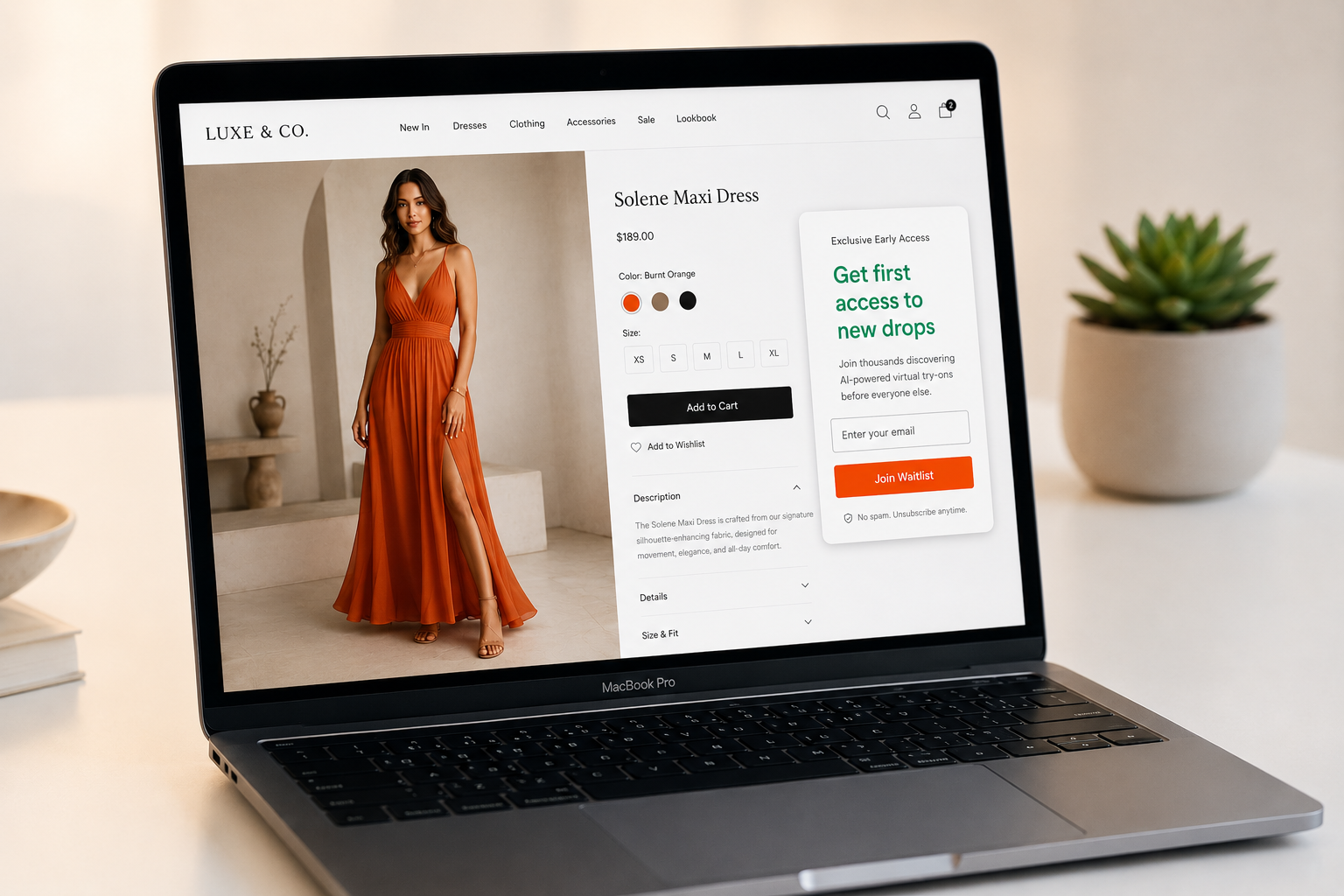
A shopper who tried on your product already knows what it looks like on them. A follow-up email saying 'the item you tried on is still available' converts dramatically better than a generic newsletter.
Why Try-On Shoppers Are Your Best Leads
Not all email subscribers are equal. A shopper who used virtual try-on has shown high purchase intent — they uploaded a photo, waited for a result, and saw themselves wearing your product. That is a buying signal, not a discount-hunting signal.
TryOnCloud merchants report that shoppers who use the try-on button convert at up to 40% higher rates than those who only view photos. These same shoppers, when they do not purchase on the first visit, respond to re-engagement emails at 3–5× the rate of standard newsletter subscribers — because the email can reference the specific product they already tried on.
How TryOnCloud Captures Leads Automatically
After a shopper's second try-on session on any product page, a prompt appears asking for their email — shown after the result image, so the shopper has already seen value before being asked for anything. The timing is deliberate: two try-ons signal genuine interest.
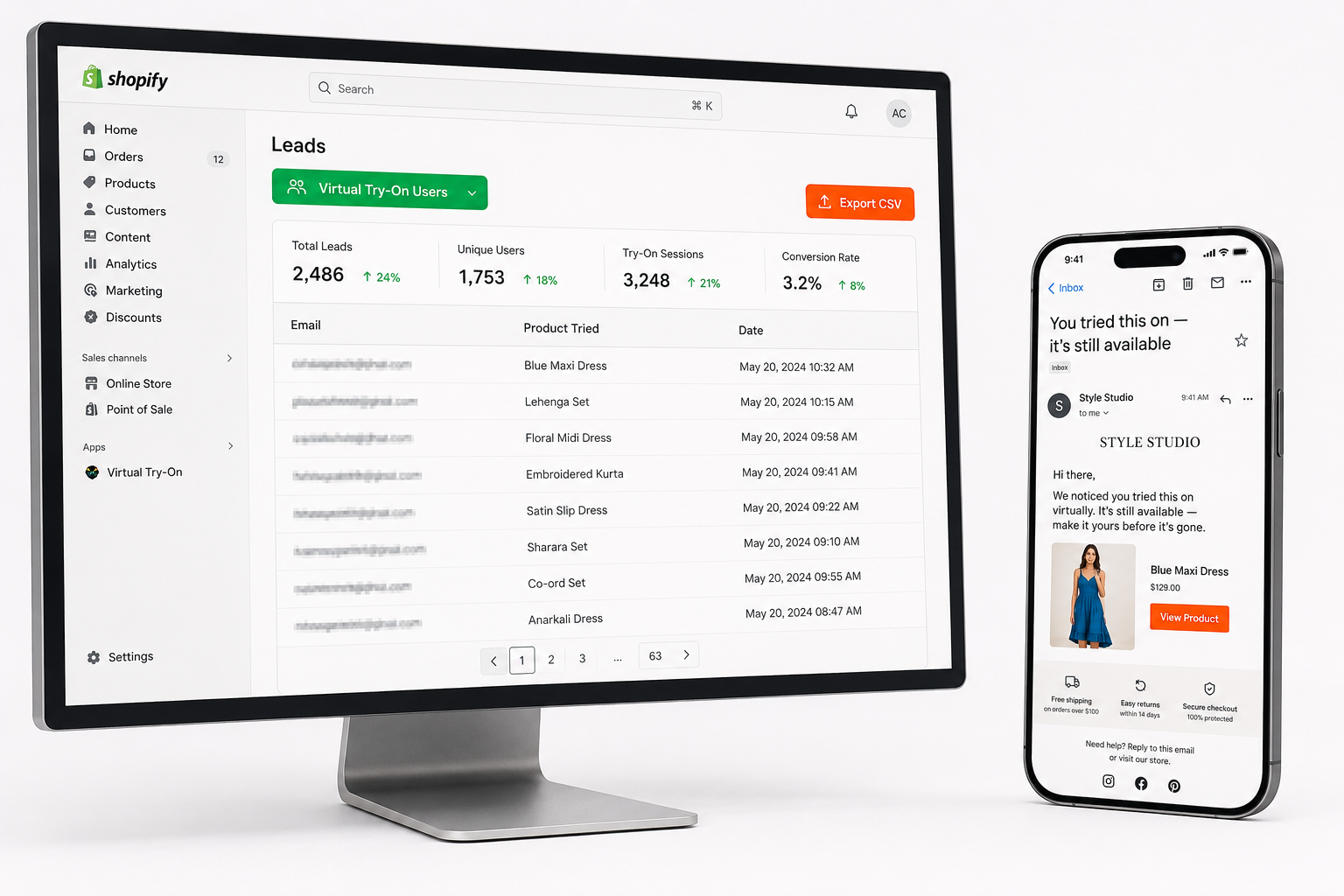
All captured emails are saved to your Leads dashboard with the product tried, the date, and Shopify tag status. Every try-on user is automatically tagged 'tryoncloud-user' in Shopify, and a 'Virtual Try-On Users by TryOnCloud' segment is created on install — ready for Shopify Marketing campaigns immediately.
TryOnCloud Lead Capture Features
TryOnCloud's lead capture system includes four components that work together to turn try-on sessions into a complete lead management workflow:
6 Ways to Turn Try-On Leads Into Orders
Capturing the lead is the first step. Here are six ways TryOnCloud merchants use their try-on lead lists to drive repeat purchases and recover shoppers who did not buy on the first visit:
Within 24 hours, email shoppers who tried on but did not buy: 'The item you tried on is still available.' This is the highest-converting email for try-on leads — the shopper already has a mental image of themselves wearing your product.
Open Shopify Marketing, select the 'Virtual Try-On Users by TryOnCloud' segment, and launch a targeted campaign. Send exclusive early access, private sales, or loyalty rewards in under 5 minutes.
Export your lead list as CSV and upload to Meta Ads as a Custom Audience. Target shoppers who tried on but did not buy at 5–10× the efficiency of cold interest-based audiences.
Email the segment when a tried-on product comes back in stock. Converts immediately because the purchase intent was already there — the only barrier was availability.
Send personalised cross-sell recommendations based on what each lead tried. 'Customers who loved this also bought...' Product-specific emails generate 20–30% of fashion email revenue.
Create a discount code visible only to the Try-On Users segment. 'Because you tried it on, here's 10% off.' High intent plus a personal offer delivers strong conversion without diluting your general pricing.
FAQ
When does TryOnCloud capture a shopper's email?
After a shopper's second try-on session on any product page. The prompt appears immediately after the result image is shown — so the shopper has already seen value before being asked for anything. This timing maximises opt-in rates while keeping the experience natural.
Where are captured leads stored?
In your TryOnCloud Leads dashboard, accessible from the TryOnCloud app in your Shopify admin. Each entry shows the shopper's email, the product they tried, the date, and whether they have been tagged in Shopify.
What is the 'Virtual Try-On Users by TryOnCloud' Shopify segment?
A Shopify customer segment created automatically when you install TryOnCloud. It contains every customer who has used the virtual try-on feature. Use it in Shopify Marketing to send targeted campaigns — zero manual setup required.
Can I export my leads as a CSV?
Yes. Go to TryOnCloud app in your Shopify admin → Leads tab → Export CSV. The export includes email, product tried, date, and Shopify tag status. Compatible with Klaviyo, Mailchimp, and any email platform.
Is lead capture GDPR compliant?
Yes. The email prompt is consent-based — shoppers actively choose to submit their email. Photos are deleted immediately after AI generation. TryOnCloud never sells or shares customer data.
How is this different from a pop-up?
A pop-up appears before the shopper sees any value. TryOnCloud's prompt appears after the second try-on result — after shoppers have seen themselves wearing your product twice. Higher quality leads, no friction, no interruption.
Related Guides
Start Capturing Leads from Virtual Try-On Today
Lead capture, Shopify segment, Leads dashboard, and CSV export are all included free on every plan. 10 free TryOns every month forever — no credit card required.