
Industry News · July 2026
Google Virtual Try-On Is Now Live in the UK. Here's How to Add the Same Feature to Your Own Store
Google has switched on its AI virtual try-on for shoppers in the United Kingdom, which means millions of British shoppers are about to get used to seeing clothes on a body before they buy. That habit will not stay inside Google. It will follow them onto every product page they visit, including yours, where the question becomes very simple: does your store answer it, or does a competitor's? This guide covers what Google actually shipped, why the UK is the market where try-on pays back fastest, and precisely how a British clothing store of any size gets the same feature on its own site.
What Google Switched On for UK Shoppers
Google's try-on lives inside Google's shopping surfaces. A UK shopper searching for a dress or a jacket can now see apparel visualised with generative AI before ever reaching a retailer's site, rendered, depending on the rollout stage, on a range of real model body types or on a photo the shopper uploads themselves. It started in the United States, expanded gradually, and the UK arrival is the signal that Google considers the technology ready for its biggest markets.
Under the marketing, the machinery is the same photo-based AI try-on we covered in depth in our US market guide: a generative model reads a body image and a garment image and produces a photorealistic picture of that garment on that body, with the real drape, print, and cut. Google's version is impressive and genuinely useful. It is also, from a merchant's point of view, incomplete in one enormous way.
The Part of the Announcement That Matters to Your Store
Google's try-on works on Google. It helps shoppers who are still deciding where to shop, inside a surface whose entire business model is charging retailers for clicks. The shopper who is already ON your product page, the one you paid for with ads, SEO, or years of brand-building, gets nothing from it. And that shopper is the one hovering between Medium and Large, between add-to-cart and the back button.
| Question | Google's try-on | Try-on on your own store |
|---|---|---|
| Where does it run? | Google's shopping surfaces | Your product pages, your domain |
| Who controls which products appear? | Google's eligibility rules | You. Your whole catalog syncs automatically |
| Where does the shopper end up? | Wherever Google sends them, possibly a competitor | Your checkout |
| Who gets the engagement data? | You: try-ons per product, captured emails, attributed sales | |
| Cost model | Free to shoppers; you still pay for the click | Flat monthly subscription from $19 |
The honest conclusion is not that Google's feature is bad. It is that Google solved discovery try-on, and discovery was never your bottleneck. Conversion is. The rollout's real effect on your business is expectation-setting: it trains your customers to expect try-on, then leaves your product page to deliver it. We drew the same conclusion about Kmart's try-on launch, and the pattern is now unmistakable: every big-platform rollout raises the bar for independent stores.
Why the UK Needs This More Than Almost Anyone
Britain is arguably the single most returns-heavy apparel market in the world, and the numbers behind that sentence are worth staring at.
- Returns cost UK retailers on the order of £27 billion a year, according to analysis by Retail Economics with returns specialist ZigZag, with fashion carrying the heaviest share.
- Roughly one in four online clothing purchases in the UK comes back, and the leading reason is not damage or late delivery. It is fit and appearance: the item looked different on the shopper than it did on the model.
- Serial returning is a named behaviour here. UK retail has its own vocabulary for it, from bracketing to wardrobing, and several major British retailers have started charging for returns precisely because the free-returns culture stopped being survivable.
- The January wave makes it seasonal and brutal. The post-Christmas returns surge is a recurring UK retail story for a reason: a December of gift-buying without try-on becomes a January of parcels moving backwards.
Charging for returns treats the symptom and annoys the customer. Virtual try-on treats the cause: the shopper could not see the garment on themselves, so they guessed, and the parcel is the cost of the guess. Our returns deep-dive walks through the per-parcel economics if you want the full spreadsheet version.
The Same Feature on Your Own Product Pages
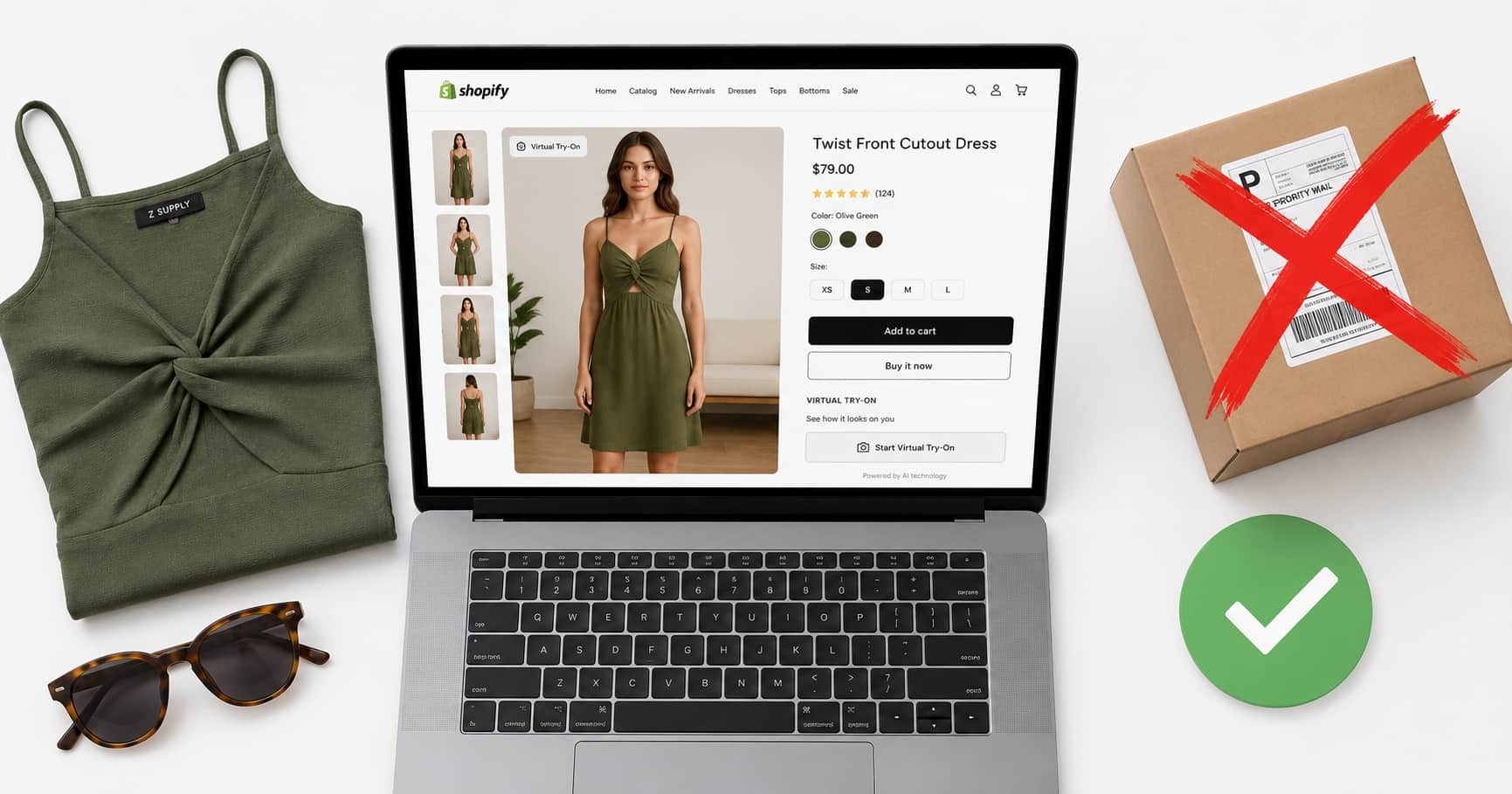
On a store running TryOnCloud, the shopper flow mirrors what Google trained them to expect, except it happens at the moment of purchase rather than the moment of browsing. A Try On Virtually button sits next to your size selector. The shopper uploads one full body photo, or takes one right there with the built-in camera capture, and the AI renders the exact garment on their body in seconds. They compare a few looks against the same photo, then add to cart with the fit question already answered. No app, no account, no leaving your page.
It works wherever you sell: Shopify via the App Store listing (minutes, no code, walkthrough in our Shopify guide), WordPress and WooCommerce via the plugin, custom-coded sites in React, Next.js, Vue, Angular, Laravel or plain PHP via the developer API, agencies running multiple client stores on one account, and physical shops via the in-store try-on kiosk.
The Full Feature List, Straight From Our Changelog
Comparison articles usually stop at "it renders clothes on a photo." Here is what actually ships with the subscription as of this month, pulled from our own public changelog, because the difference between a demo and a production feature lives in this list.
The try-on itself
- Live camera capture in the widget, front or rear camera, with automatic fallback to upload
- Full-length rendering: dresses and full-length garments drape correctly whatever the shopper is wearing in their photo
- Automatic quality screening on every result, with silent regeneration of anything flagged
- Try-on history so returning shoppers compare looks in one tap
Leads and marketing
- Shopper email capture at the try-on moment, synced into Shopify customer segments
- Klaviyo integration: a Try-On Lead event per try-on with the product tried, for abandoned-try-on flows
- Signed outbound webhooks to Mailchimp, HubSpot, Brevo, Zapier, Make, or any CRM
- Your logo on every generated result on Growth and Scale plans
Measurement
- Purchase attribution: every sale traceable back to the try-on that preceded it
- Per-product try-on analytics, so you learn which items shoppers hesitate on
- Usage dashboard with source split across website and kiosk
Beyond the website
- In-store kiosk on any screen with a camera, including holding a physical garment up to the camera with no catalog entry
- Widget and setup guides in 6 languages (English, French, Spanish, German, Portuguese, Italian)
- Enterprise prepaid credit buckets with custom per-try-on rates for high-volume brands
- Auto-scaling, multi-zone infrastructure targeting 99.9% uptime
The UK GDPR Angle Nobody Writes About
A try-on feature asks shoppers for a photo of themselves, which makes data handling a first-order question for any UK retailer, not a footnote. Three design decisions matter, and we made all three deliberately. Shopper photos are used to generate the try-on result and nothing else: not sold, not used to train anything, not tied to an account the shopper was forced to create. Marketing integrations are event-first and consent-safe: when a try-on fires a Klaviyo event or a webhook, we never subscribe the shopper to any list ourselves, so consent management stays exactly where your legal setup already handles it, in your store and your email platform. And merchants get self-serve GDPR tooling, including full account deletion with personal data removed and payment records anonymised. If a try-on vendor cannot answer these three questions crisply, a UK store should not install it.
In one line
Google trained UK shoppers to expect try-on. Your product page is where that expectation either converts for you or walks.
Adding It: Four Steps, One Afternoon
- Choose the integration. Shopify App Store, WooCommerce plugin, developer API, or kiosk. The free trial applies to all of them.
- Sync the catalog. Automatic on Shopify and WooCommerce, and the AI works from your existing product photography. No reshoots, no 3D digitisation, no per-garment fees.
- Place the button. Drop the block into your product template in the theme editor and match your brand colours. Put it beside the size selector, where the doubt lives.
- Measure.Within the first week the dashboard shows try-ons per product, captured emails, and purchases attributed to try-on sessions, so the feature justifies itself with your own data rather than anyone's blog post, including this one.
What It Costs in Real Money
Plans are flat and sized by volume, with every feature above included from the first tier: $19/month (about £15) for 100 try-ons, $49 (about £38) for 300 with your logo on results and priority support, $145 (about £115) for 1,000 with multiple domains and phone support, and custom Enterprise volume with SLA guarantees for large retailers. Details on the pricing page. Set that against UK returns arithmetic, where a single fit-driven return costs a retailer several pounds in logistics before counting the garment that comes back unsellable, and the payback question mostly answers itself: one prevented return a month covers Starter.
UK Merchants' Questions, Answered
What does Google's virtual try-on in the UK actually do?
Inside Google's shopping surfaces, UK shoppers can now see apparel visualised with AI before clicking through to a retailer. Depending on the rollout stage, results appear on a range of model body types or on the shopper's own uploaded photo. It works on products inside Google's shopping ecosystem, on Google's pages, under Google's rules. It does not add anything to your own product pages.
Is my shoppers' photo data safe under UK GDPR with try-on?
On TryOnCloud stores, shopper photos are used solely to generate the try-on result, transmitted over encrypted connections, and never sold or used for training. No shopper account is required, integrations are consent-safe (we never subscribe a shopper to a marketing list ourselves, so consent stays in your existing Shopify and email-platform setup), and merchants themselves get GDPR self-serve tools including full account deletion.
How much does virtual try-on cost a UK store?
Plans are billed in dollars and start at $19 per month (roughly £15) for 100 try-ons, $49 (about £38) for 300, and $145 (about £115) for 1,000, all with a free trial first. With UK return processing commonly costing several pounds per parcel plus lost margin on unsellable stock, a single prevented return typically pays for the month.
Does it work with my existing UK Shopify or WooCommerce theme?
Yes. On Shopify the button is a theme app block you place in the theme editor and style to your brand colours, and it works with any Online Store 2.0 theme. WooCommerce uses a plugin. Custom-built sites, whether React, Next.js, Vue, Angular, or PHP, integrate through the developer API in an afternoon.
Do shoppers need to download anything?
No. The try-on runs in the browser directly on your product page, on mobile and desktop. Shoppers upload a full body photo or take one on the spot with the built-in camera capture, and the result appears on the same page in seconds. That no-download flow is the biggest practical difference from big-tech try-on experiences that live inside their own apps and surfaces.
Can the same system work in my physical shop as well as online?
Yes. The same engine powers an in-store virtual try-on kiosk that runs on any screen with a camera. It syncs your online catalog, and shoppers can even hold a physical garment up to the camera and see it rendered on themselves without the item ever being listed online. One subscription covers web, and the kiosk product covers the shop floor.
Give Your UK Shoppers Their Own Try-On
Google raised the expectation. Meeting it on your own product pages takes minutes and the trial is free, so judge it on your own catalog and your own customers.